
Saving
Budget, save and find cheaper prices — on your phone. No account, no cloud.
Saving is a budgeting and savings coach that keeps your financial data on your own phone. We built it, and it is published on Google Play as BUILDWISE DIGITAL.
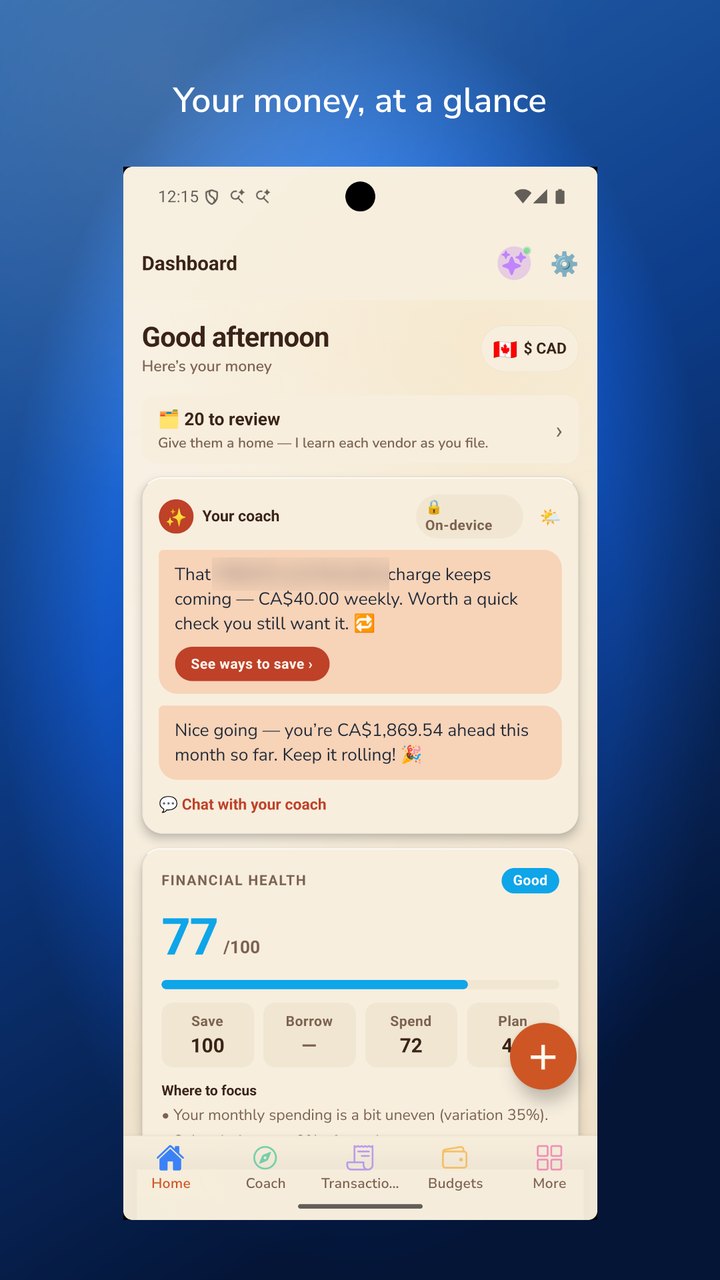
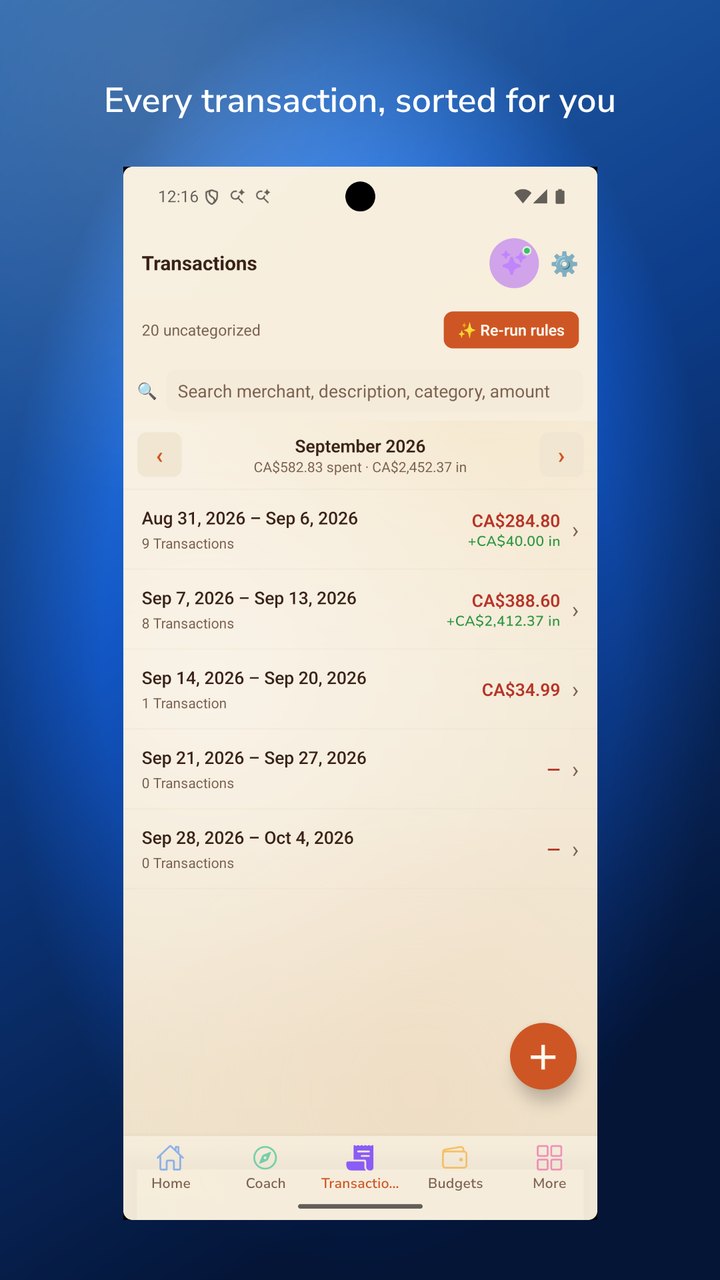
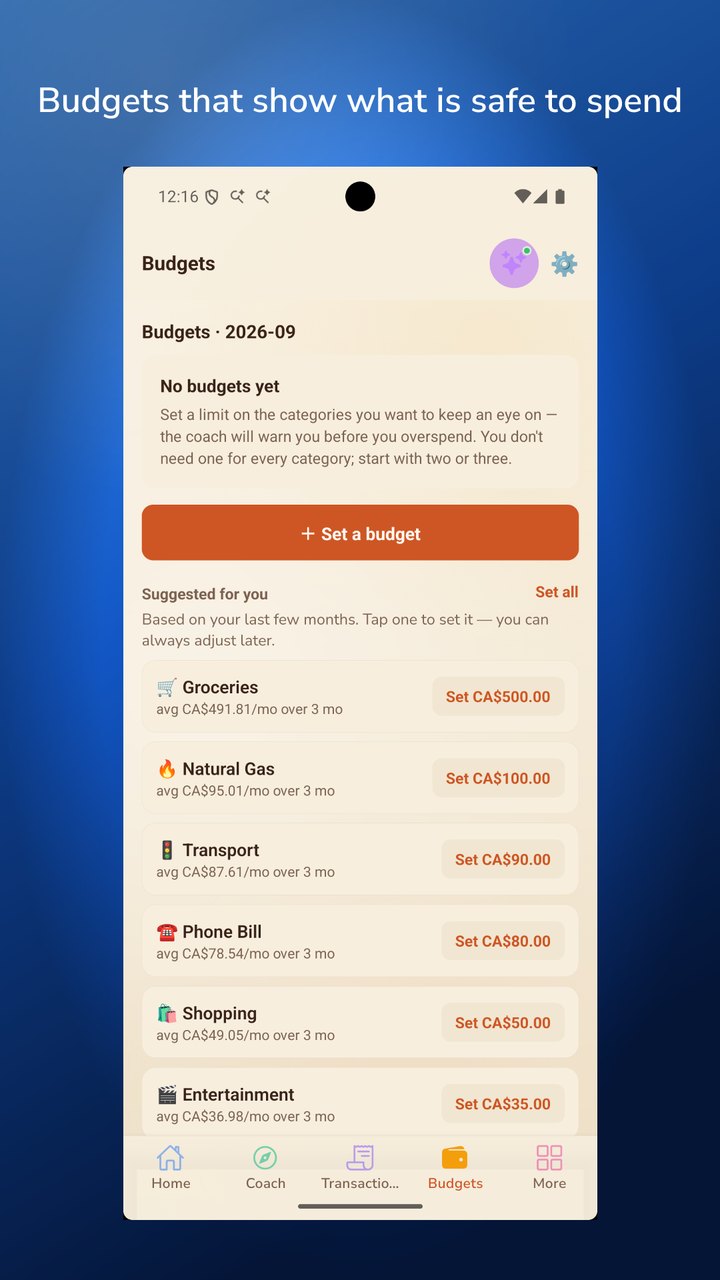
One merchant name is blurred.
No account. No cloud. No bank login.
There is nothing to sign up for. Your transactions, budgets and goals are stored in an encrypted database on your device, protected by your fingerprint or face. Your financial data is never uploaded or sold — no advertising, no tracking.
Import in minutes
Drop in a bank statement file (CSV, Excel, ODS, OFX/QFX or QIF) and Saving sorts it into categories automatically — no column mapping, and duplicates are caught and shown to you. Add purchases by hand, scan a receipt (read on your phone, never uploaded), or let the app pull receipts from your own email inbox, on your command only.
A coach that does the math
- A savings goal with a real plan: how much to set aside, what pace you're actually on, and how long it will take.
- A financial health score that explains its own numbers and says so when it doesn't have enough data.
- Forgotten subscriptions, bills that quietly went up, and unusual charges — found on your device.
- A payment calendar with reminders for the bills it detects.
- Safe-to-spend by category, and a month-end forecast.
- Canadian take-home pay and benefit estimates, labelled as estimates (not tax advice).
Am I overpaying?
Scan grocery receipts and Saving builds your own price book, then tells you which store near you has been cheaper — from prices you actually paid. Optional: share prices with other shoppers and see what they paid nearby (off by default; no name or account, no exact location, never health items).
Premium
Every new install gets full access for 30 days, no card required. After that, the per-goal “Coach me” plan and the money-guide chat are part of a subscription (monthly or yearly, priced in your local currency by Google Play; cancel any time in Google Play). Budgeting, import, export, backups and everything about your own data are free and not part of Premium.
Privacy, in plain terms
- Encrypted on your device (AES-256). Backups are encrypted with a passphrase only you know.
- Optional features that use the network are off until you turn them on, and each one says exactly what it sends.
- Location is used only for the optional “nearby stores & fuel” and “community prices” features, only approximately, and only while the app is open.
- Receipt scanning uses Google's ML Kit, which sends Google basic diagnostics — never your photos or their text (see the privacy policy).
- Screenshots and screen recording of your finances are blocked.
Saving is a personal budgeting tool. Its figures and suggestions are for information only and are not financial, investment or tax advice.
The app's privacy policy and terms of use (en français : confidentialité, conditions). Published by BUILDWISE DIGITAL, Brampton, Ontario.
Google Play is a trademark of Google LLC.